
Crypto Trading Bot Platform: Counter Orders, Scanner, and AI Strategy Creation
Introduction
Crypto trading automation becomes more useful when traders can combine automated strategies with direct control over execution and positions. A crypto trading bot may handle recurring logic, while market conditions can still require a partial exit, a manual adjustment, closer monitoring of several symbols, or a change in strategy behavior.
Origami Tech brings these activities into the same crypto trading environment. Counter Orders allow traders to manage existing positions directly from the chart. Scanner provides a multi market view for monitoring several instruments at once. Bot Management keeps multiple automated strategies organized, while Lua Bots introduce script based crypto trading bot development with an AI Assistant that can help generate strategy logic from a natural language request.
Together, these tools extend Origami Tech beyond basic order placement and create a broader crypto trading bot platform for traders who combine automation with active position management.
From Algo Orders to a Broader Crypto Trading Workflow
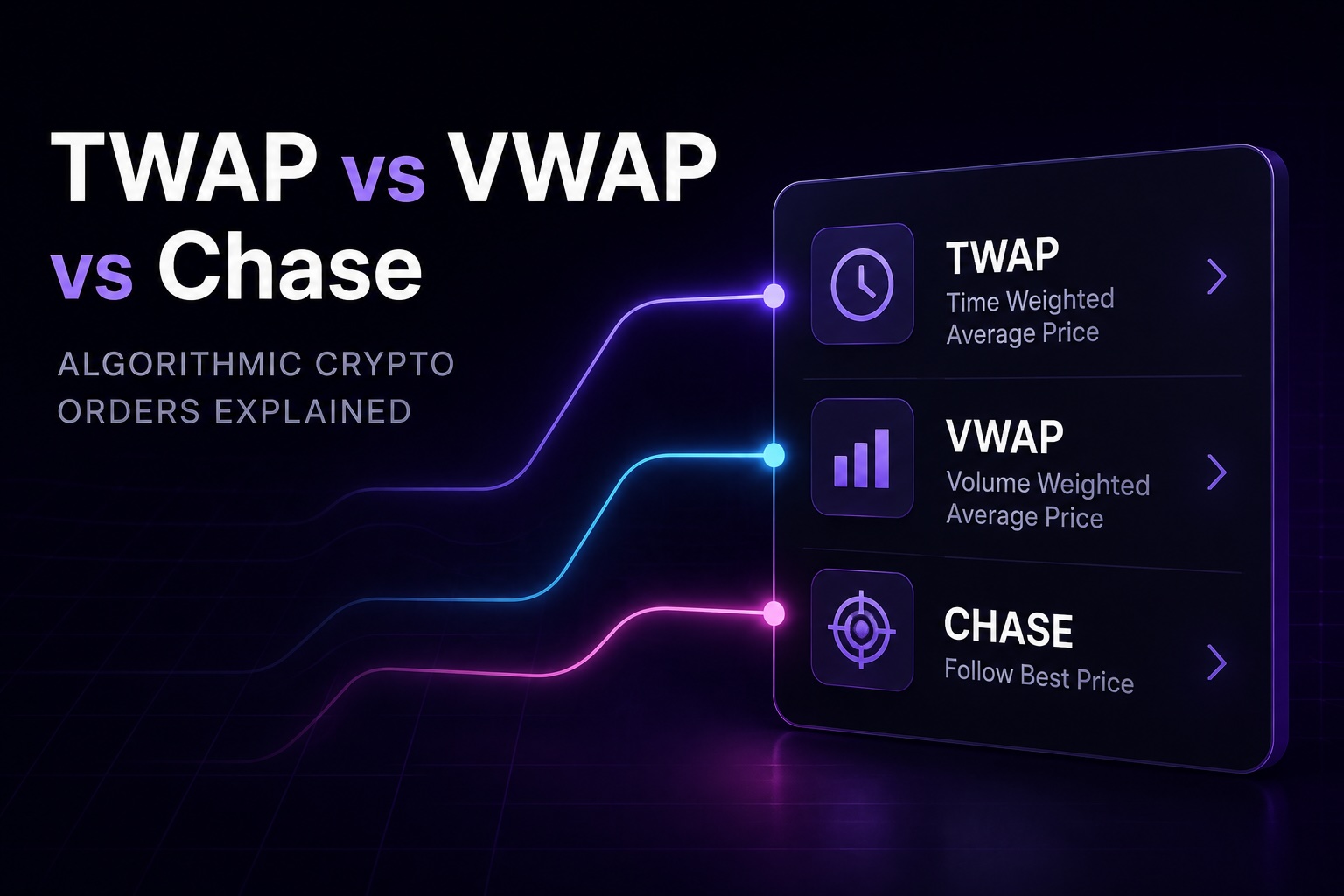
Origami Tech supports Limit and Market execution together with Chase, TWAP, and VWAP Algo Orders. Chase follows market activity and can maintain an order close to the best available price. TWAP distributes execution across a selected time period, while VWAP uses market volume information as part of its execution logic. Origami Tech covers these order types separately in the dedicated Algo Orders guide.
The wider crypto trading workflow begins after an order has been placed. Traders may need to understand how several executions affect the same position, reduce exposure without closing everything at once, observe activity across multiple markets, or coordinate manual decisions with automated crypto bot trading strategies.
Counter Orders, chart based position information, Scanner, and Lua Bots address these tasks from different parts of the same Origami Tech environment.
Counter Orders for Managing an Existing Position
Counter Orders make it possible to create a new order relative to an existing position or order directly from the chart. A trader can select the relevant chart element and open a compact execution panel without rebuilding the entire transaction manually in the standard order form.
The panel keeps the original position in context while giving the trader control over the size and price of the new order. This is useful when a trader wants to reduce exposure gradually, create a partial exit, or place another order around the existing position.
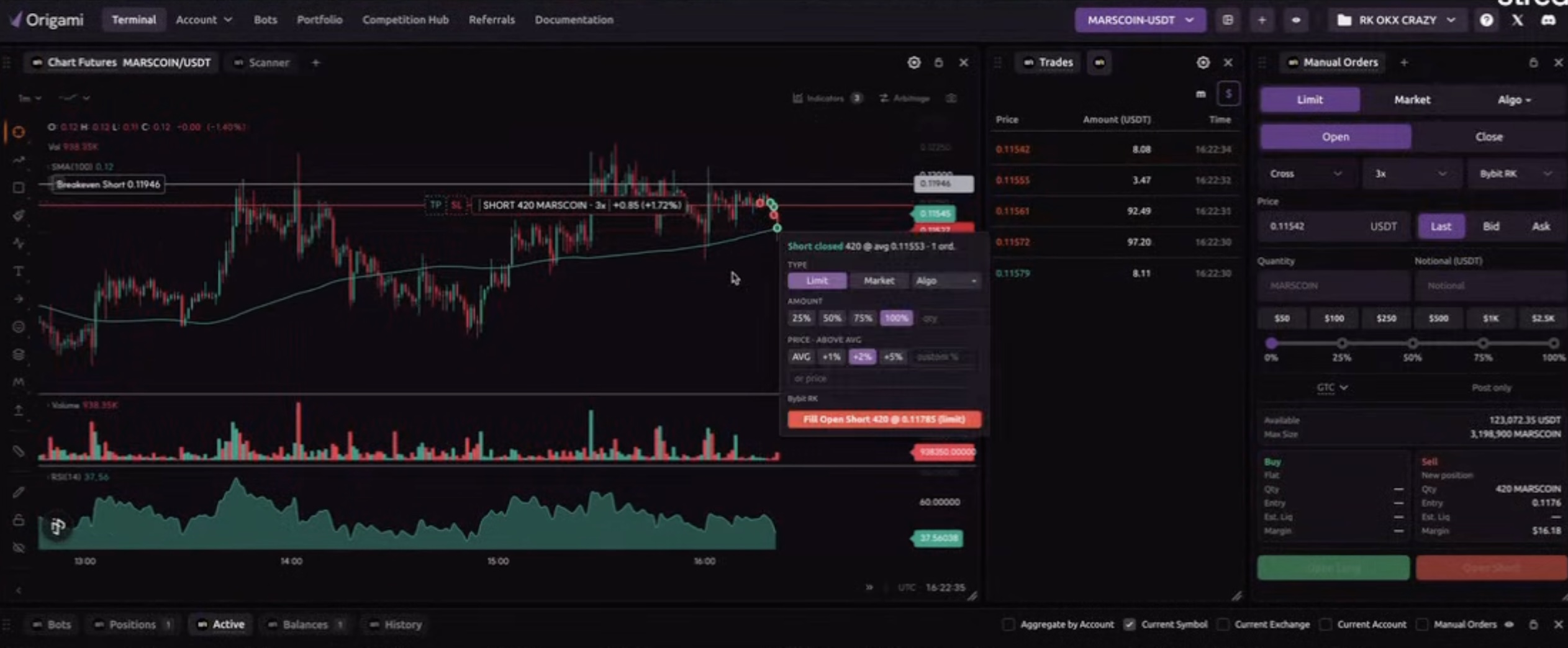
Origami Tech allows the Counter Order size to be based on the original trade. The trader can select 25 percent, 50 percent, 75 percent, or 100 percent of the amount and then define where the new order should be placed.
The price can also be calculated relative to the existing position. Preset percentage offsets are available, while a custom value can be entered when the trader wants more precise control. The resulting price and amount are visible before the order is submitted.
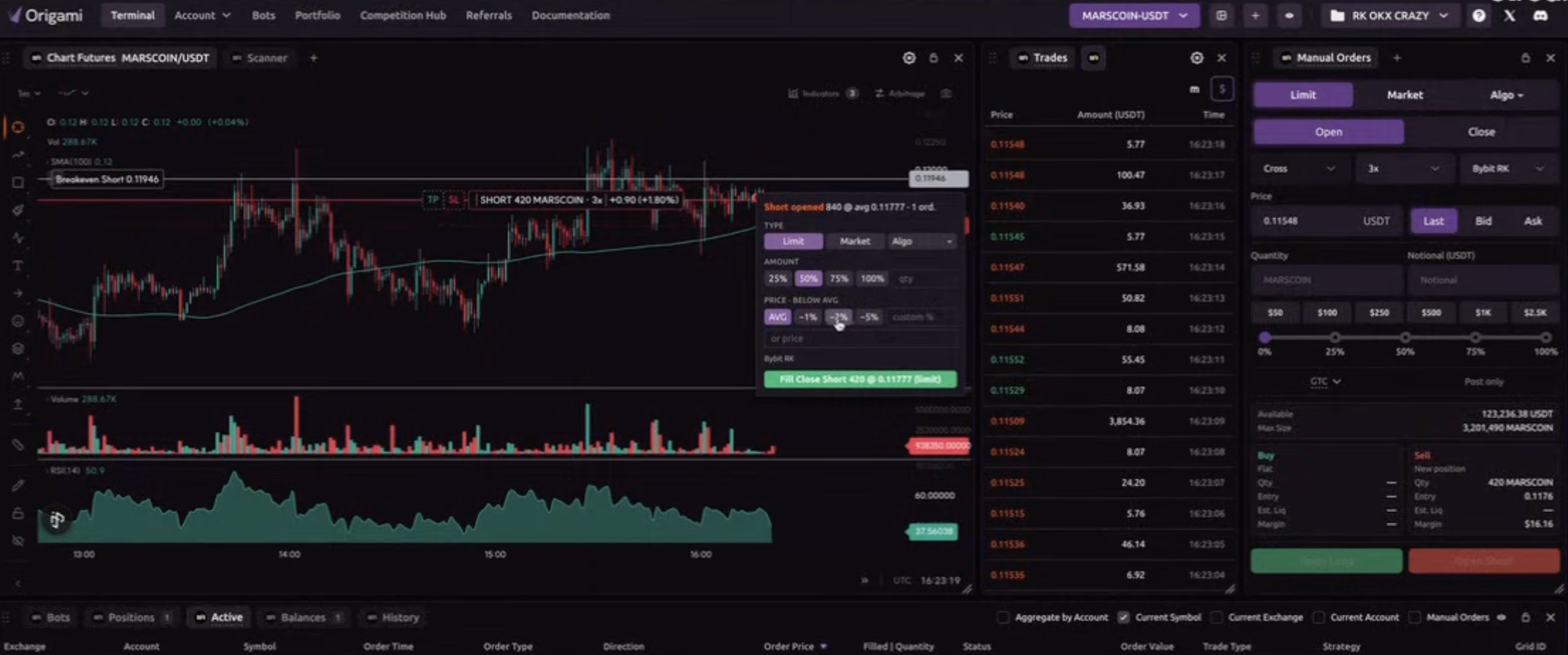
This workflow becomes especially useful when automation and manual position management are used together. A crypto trading bot may continue executing its strategy while the trader manually reduces part of the exposure at a selected level. The bot can continue following its rules while the Counter Order handles a specific adjustment to the current position.
Once the Counter Order is placed, it remains visible in the trading interface together with the rest of the position information. This helps the trader understand how the new order fits into the current market structure and existing exposure.
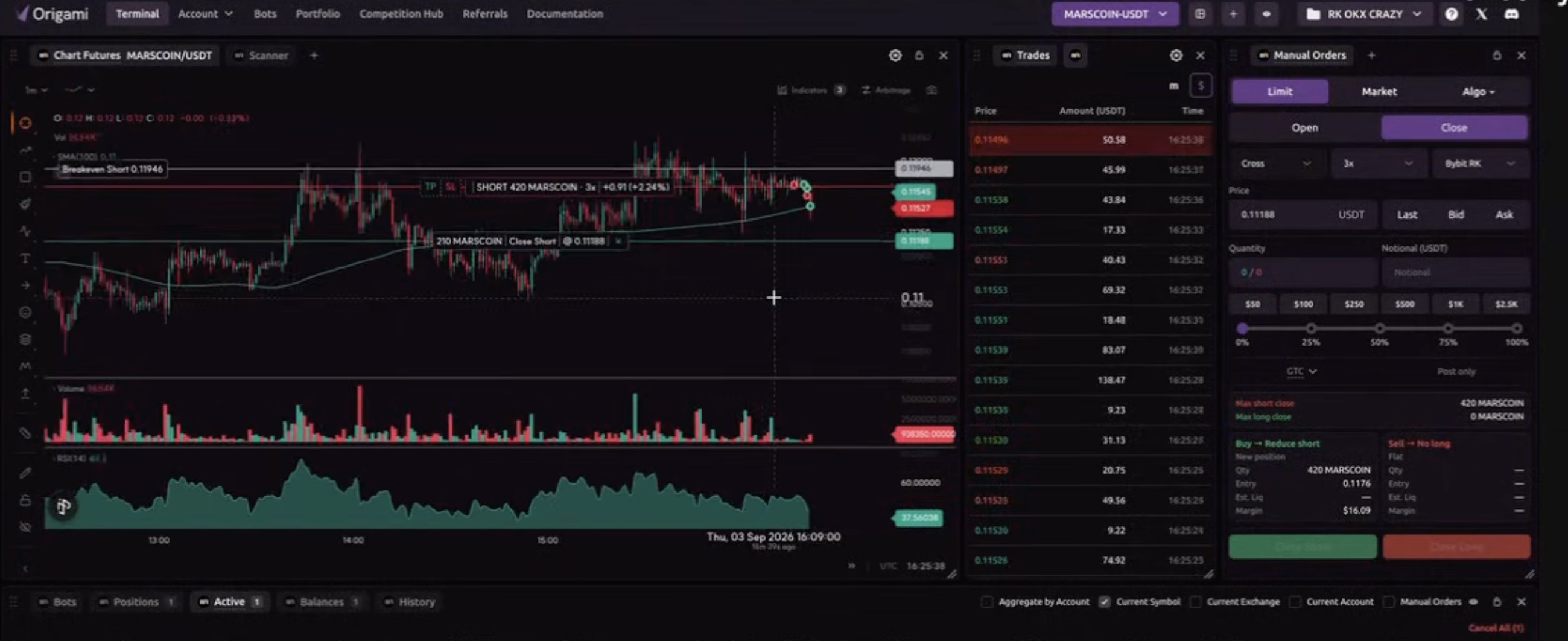
Counter Orders therefore add a manual control layer to crypto bot trading strategies. Instead of treating automated and discretionary crypto trading as two separate workflows, the trader can use both around the same position.
Break Even Price, Liquidation Price, and Position Data on the Chart
Position management becomes more effective when the trader can see the relevant information directly where market decisions are being made. Origami Tech includes chart controls for displaying current orders, current positions, liquidation price, break even price, and trade history.
These settings allow the chart to function as more than a price display. Existing exposure and important position levels remain visible alongside current market movement, which helps when a trader is managing a position through several separate executions.
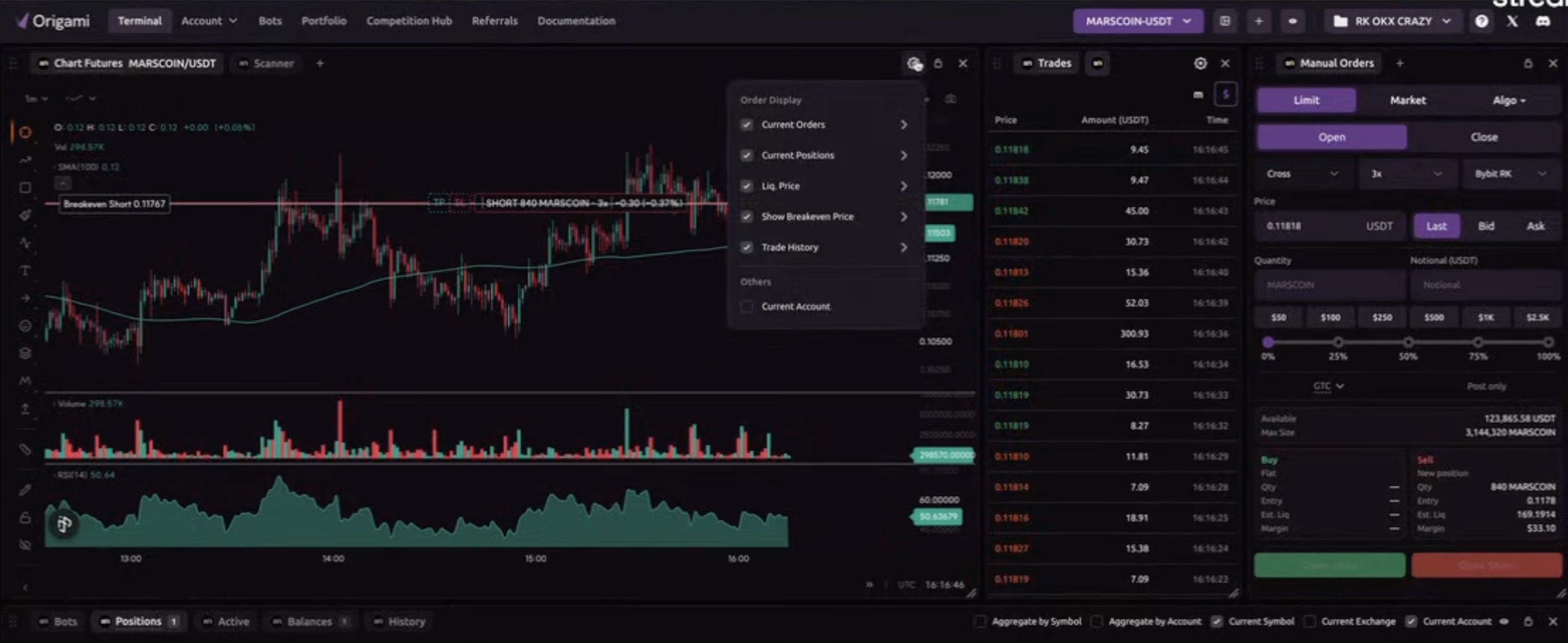
Break even price is particularly important when a position changes over time. Origami Tech defines the break even level as the price at which the position becomes profitable. That value can differ from the original entry price as the trader adds to the position, partially closes it, or changes the average execution level.
This becomes directly relevant to Counter Orders. A trader can close part of a position at one price, leave the rest active, and continue following the updated break even level on the chart.
Origami Tech also allows the placement of this information to be adjusted so position labels can remain visible without unnecessarily covering price action.
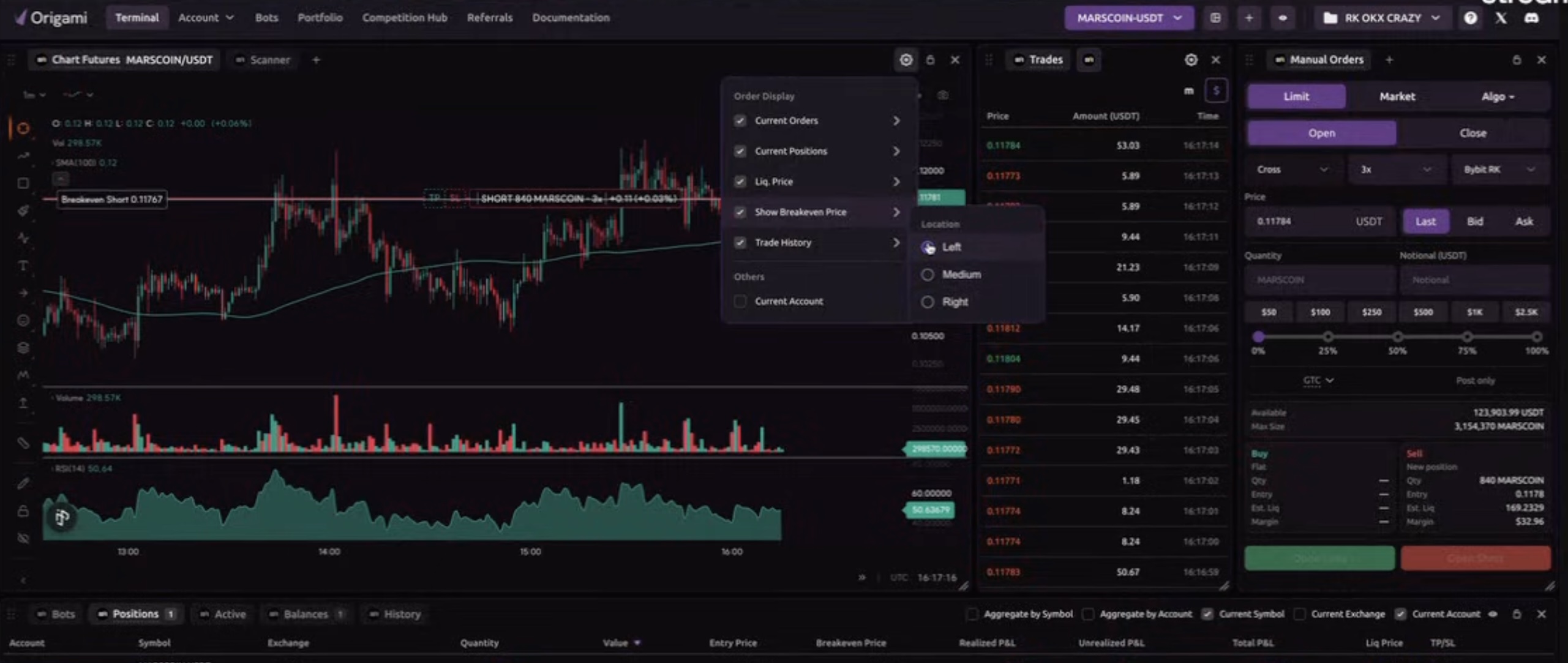
For active crypto trading, these details provide context that a simple entry price cannot capture. They show how the position currently behaves after all of the executions that have already taken place.
Scanner for Monitoring Several Crypto Trading Markets
Scanner gives traders a multi market view inside the Origami Tech terminal. Several symbols can be displayed at the same time, allowing a trader to follow price action and existing activity without constantly switching between individual market pages.
The result is a broader view of current market conditions within the same crypto trading workspace.
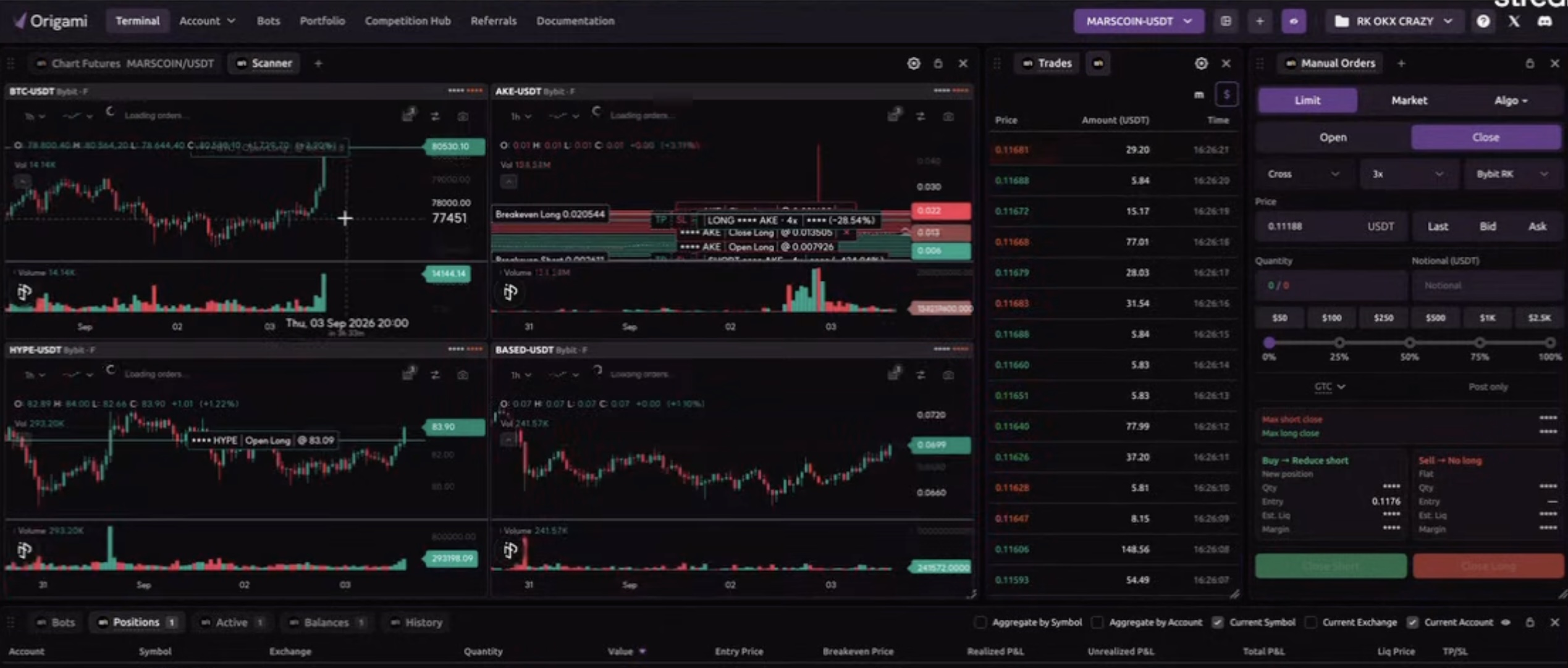
Scanner also remains connected to execution. A trader can interact with a market from the multi chart view and transfer the relevant information to Manual Orders. Existing position information can remain visible on individual charts, making Scanner useful for both observation and action.
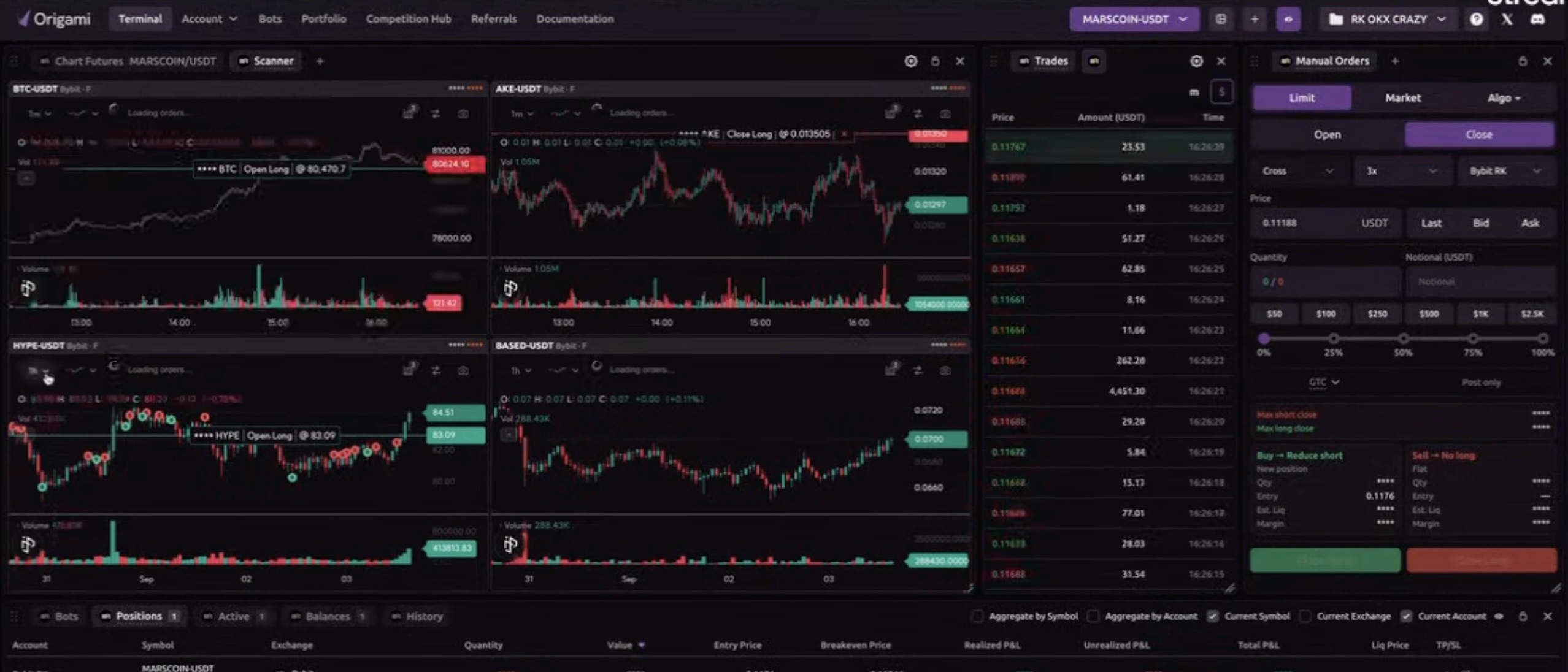
This becomes particularly useful for traders running several trading bots for crypto. One strategy may be operating on one symbol while another bot is active on a different market. Scanner provides a way to see those markets together and identify where closer attention may be needed.
For crypto bot trading, this type of overview helps connect individual automated strategies with the wider market environment in which they are running.
Crypto Trading Bot Management in Origami Tech
As the number of automated strategies grows, managing them becomes a separate task from creating them. Origami Tech includes a Bot Management dashboard that brings the main operational information about multiple crypto trading bots into one view.
Each bot is displayed together with its type, connected account, exchange, symbol, and current status. Active and stopped bots can therefore be distinguished immediately without opening each strategy individually.
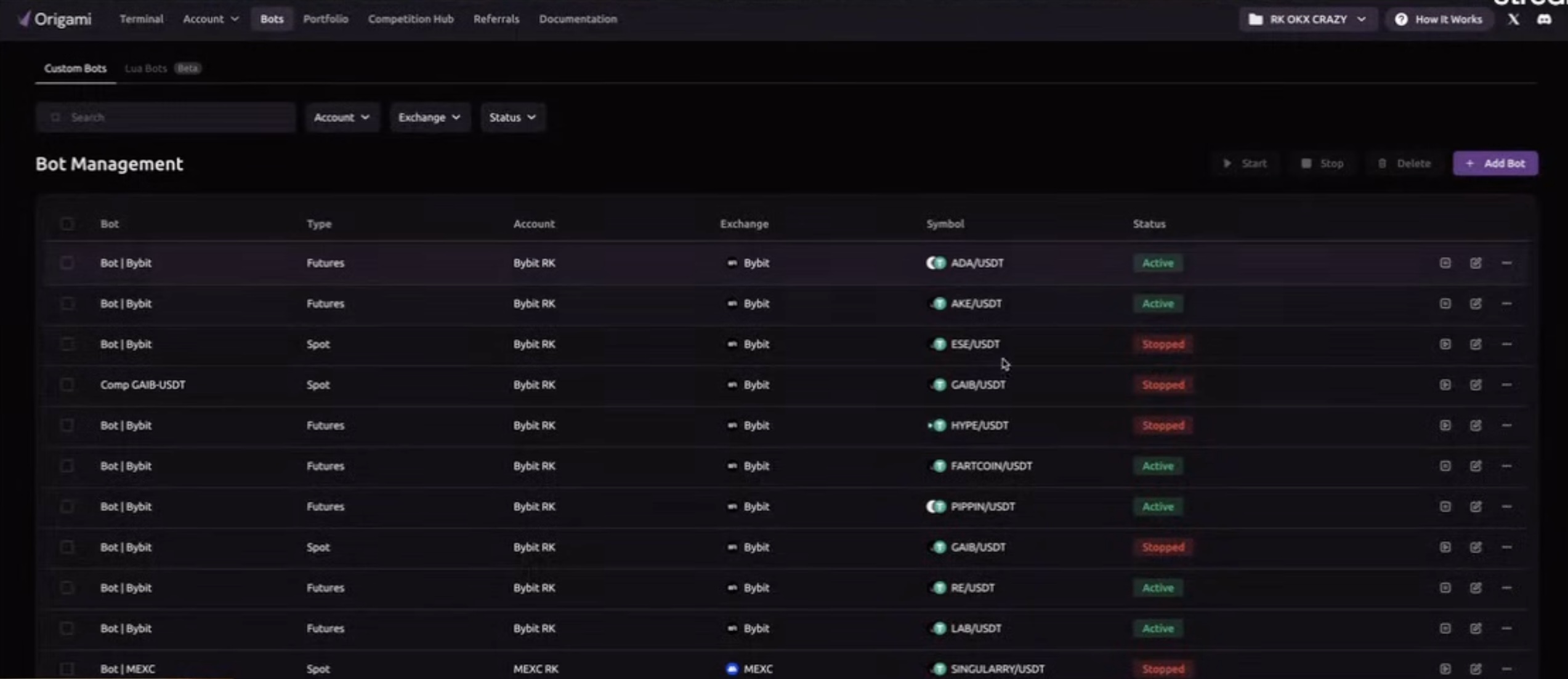
The dashboard becomes increasingly important when a trader works with several symbols or uses different strategies across spot and futures markets. It provides an operational layer above individual bot logic and makes it easier to understand which automation is currently running.
For users evaluating a crypto trading bot platform, this management layer matters because a strategy needs to remain understandable after it has been launched. Running several bots without a clear overview can quickly become more complex than creating the strategies themselves.
Lua Bots and Crypto Trading Bot Development
Lua Bots introduce a script based approach to automation inside Origami Tech. The Lua Bots section provides a separate environment for creating and managing strategies whose behavior is defined through code.
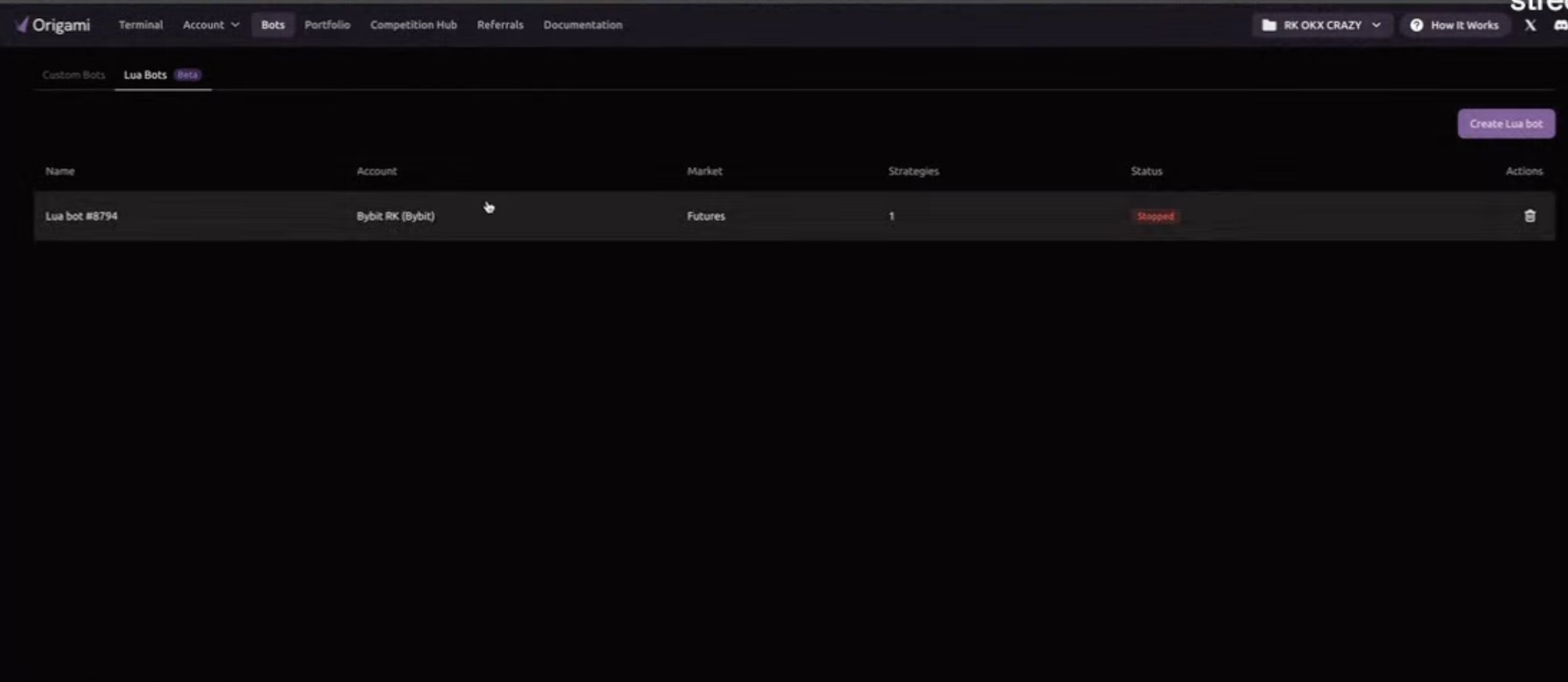
A Lua Bot can contain its own strategies and market configuration. Instead of limiting the automation workflow to predefined parameters, the trader can work with logic that defines how market data is processed, when execution occurs, how state is maintained, and how orders should react to specific conditions.
This makes Lua Bots especially relevant to more advanced crypto trading bot development, where the required behavior may extend beyond a standard set of configuration fields.
The strategy editor gives the trader access to the Lua code itself, so the logic remains available for inspection and further adjustment.
Building a Crypto AI Trading Bot With the AI Assistant
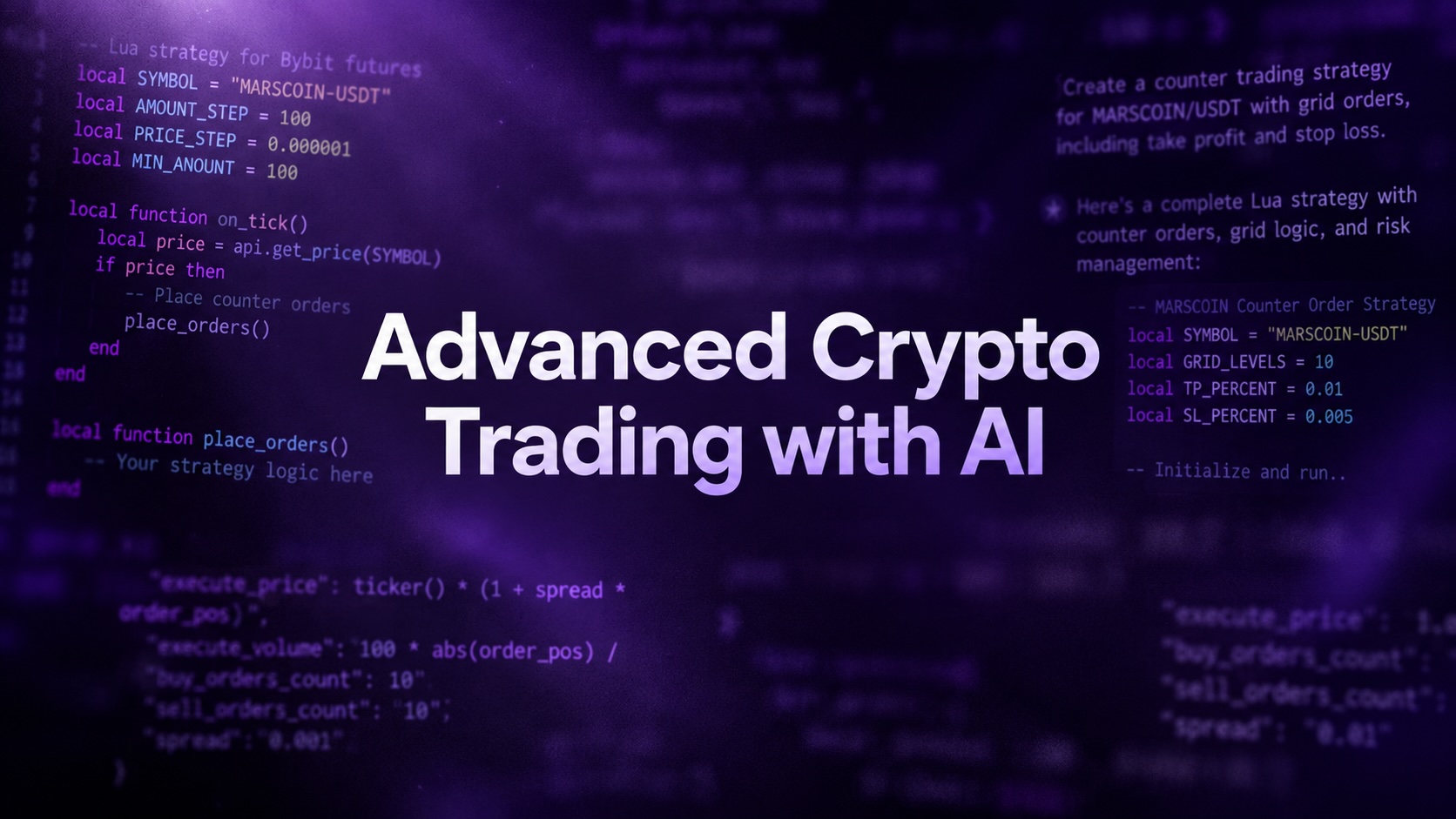
The Lua strategy editor also includes an AI Assistant that can help turn a strategy description into Lua code. Instead of beginning with a completely written script, the trader can describe the desired behavior in natural language and use that request as the starting point for the strategy.
The editor initially provides a workspace for the script on the left and the Assistant on the right.
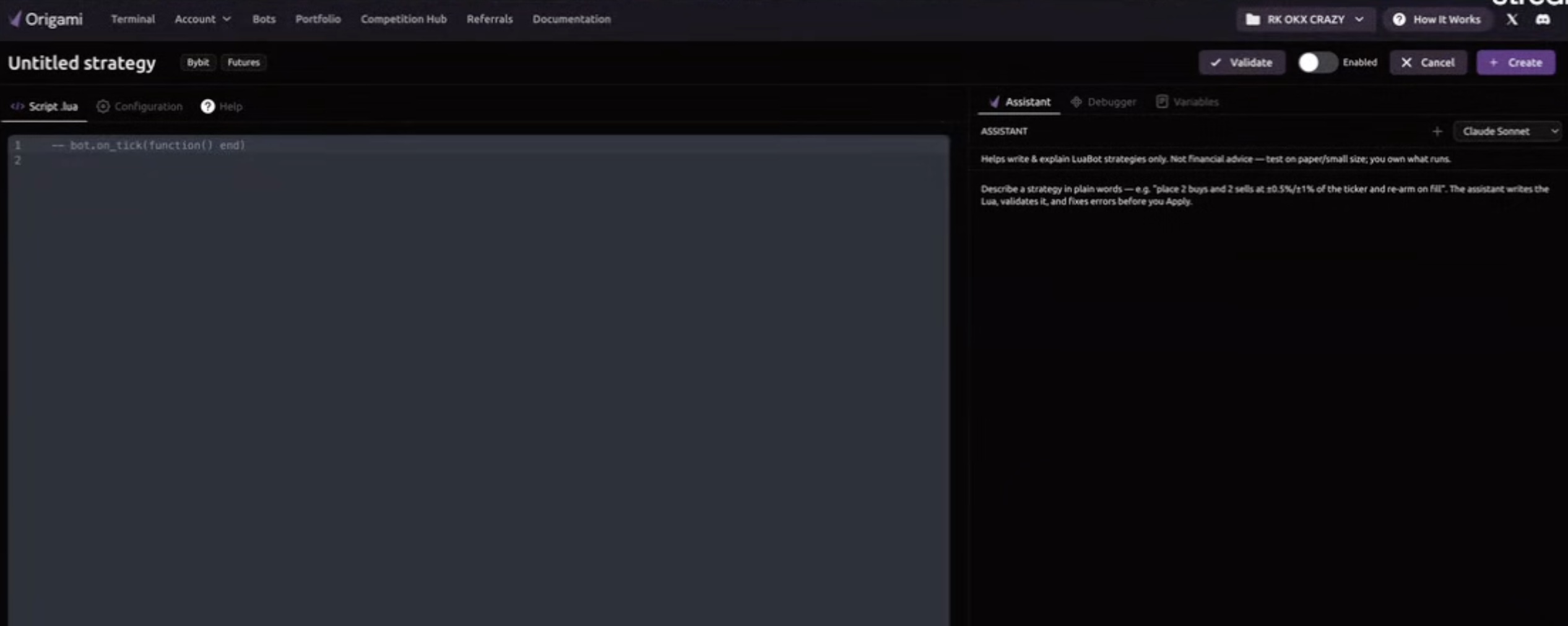
A user can describe the strategy together with the relevant market. For example, the request can ask for an Avellaneda Stoikov market making strategy for a specific futures pair. Origami Tech’s AI Assistant then starts building the corresponding strategy logic.
The generation process can incorporate parameters and logic required by the requested strategy. In the example shown in the interface, the Assistant begins working with strategy parameters such as risk aversion, liquidity, time horizon, inventory target, order size, volatility window, and quote update interval.
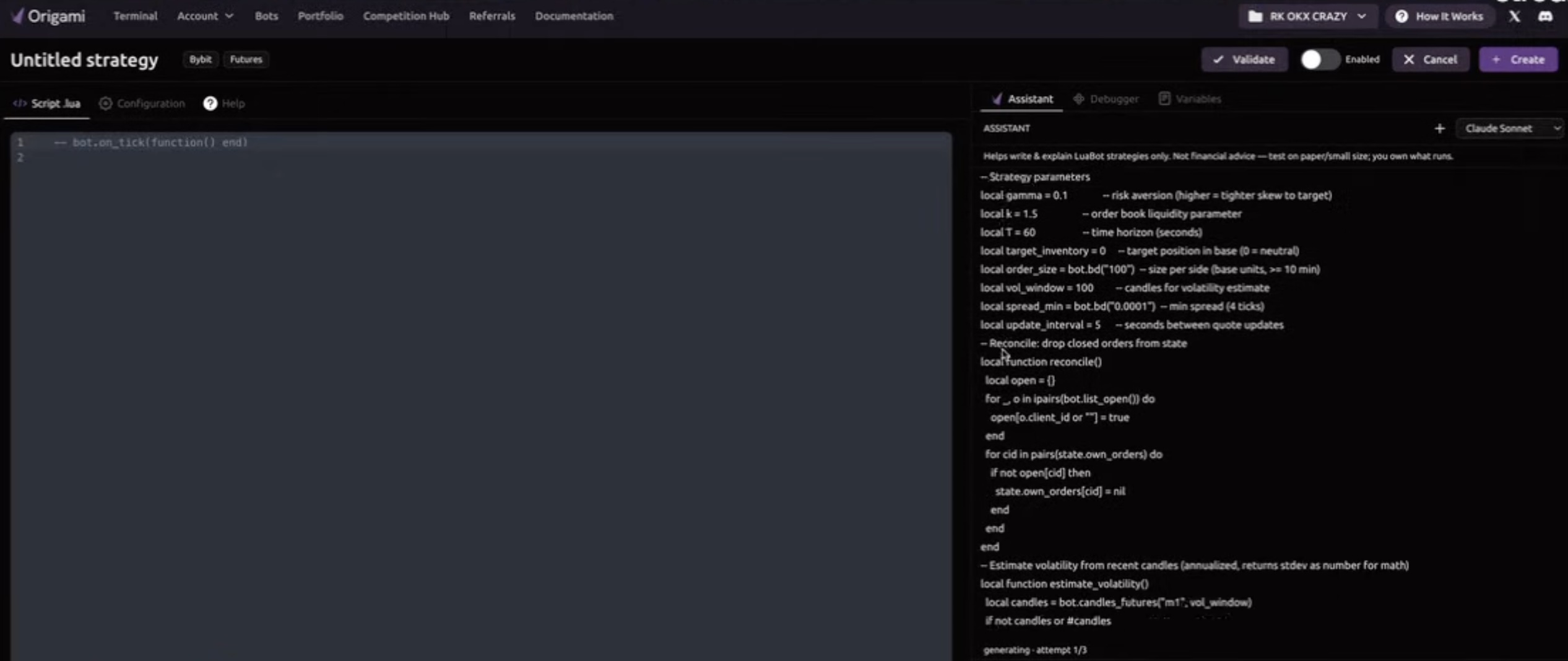
This makes the feature relevant to the broader crypto ai trading bot category, but the workflow continues beyond generating code. The proposed script is presented to the user for review before it is inserted into the strategy editor.
The trader can inspect what has been generated and decide whether to apply the result.
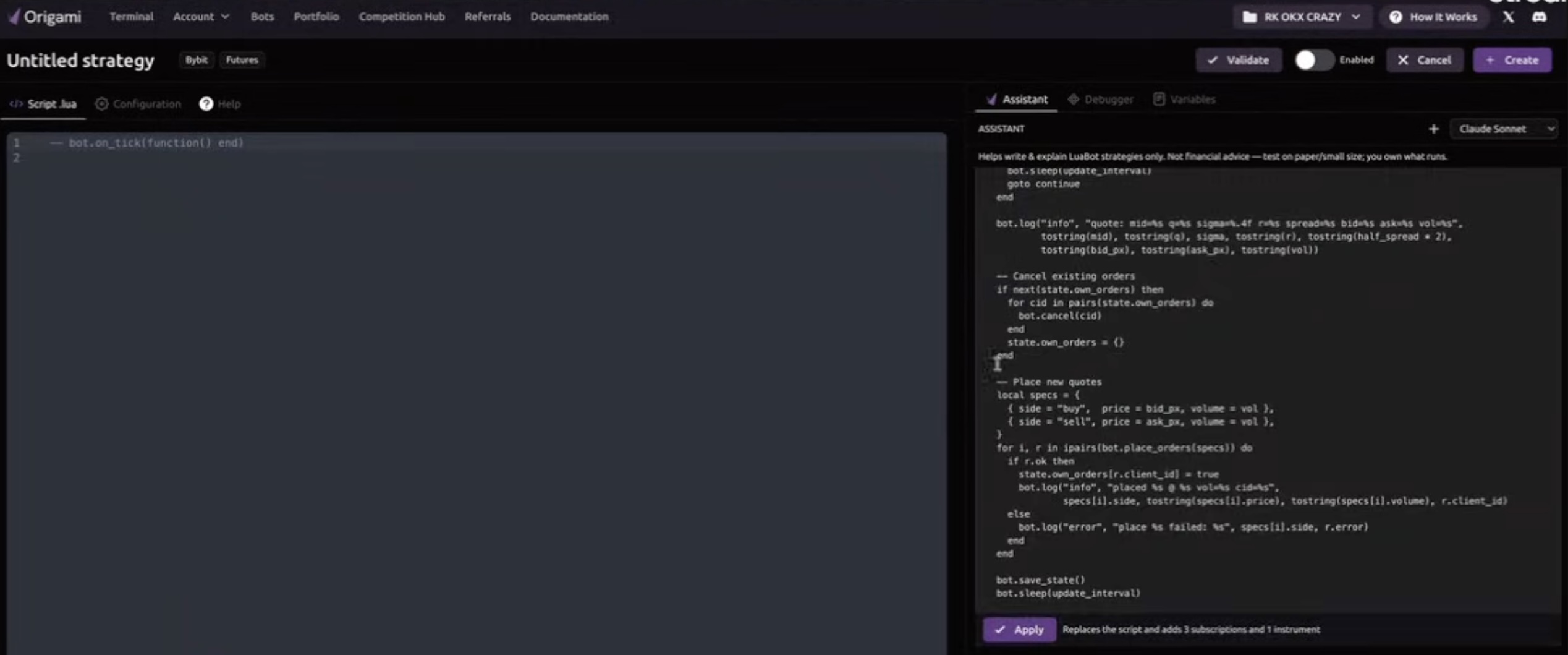
Once Apply is selected, the generated Lua code appears directly in the editor. The strategy remains visible and editable rather than becoming an opaque instruction hidden behind the AI interface.
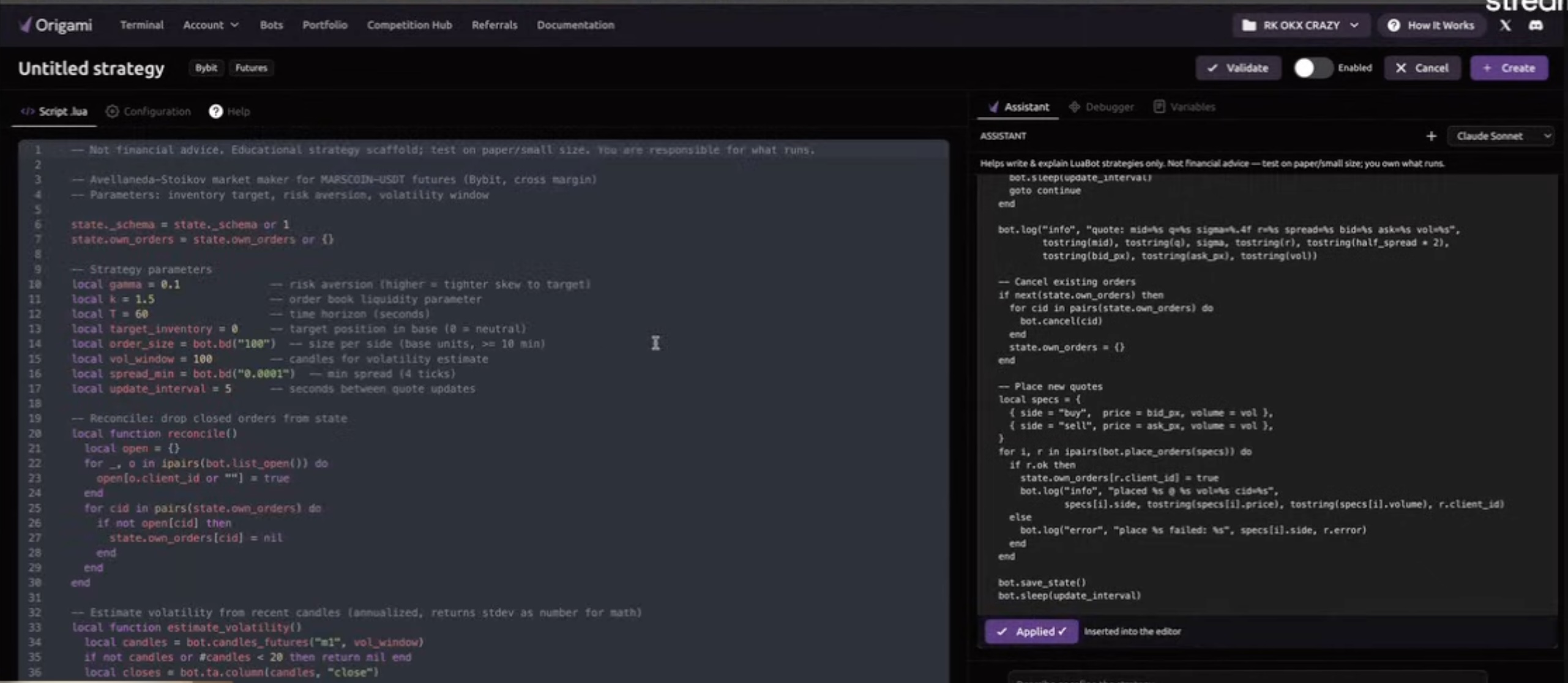
For users researching an ai trading bot crypto workflow, this distinction is important. AI assists with creating the strategy logic, while the resulting script remains available for review, validation, configuration, and further changes.
This gives the trader a clearer connection between the original strategy idea and the code that will ultimately control execution.
Configure the Market Behind the Crypto Trading Bot
A generated strategy still needs a defined market environment before it can operate. Origami Tech separates the Lua script from its execution configuration so that the trader can connect the strategy to the required market, account, and instrument.
The Configuration section includes the coin pair, account, margin mode, instrument, futures settings, and leverage parameters. The trader can therefore define where the strategy will operate without rewriting those settings throughout the strategy logic.
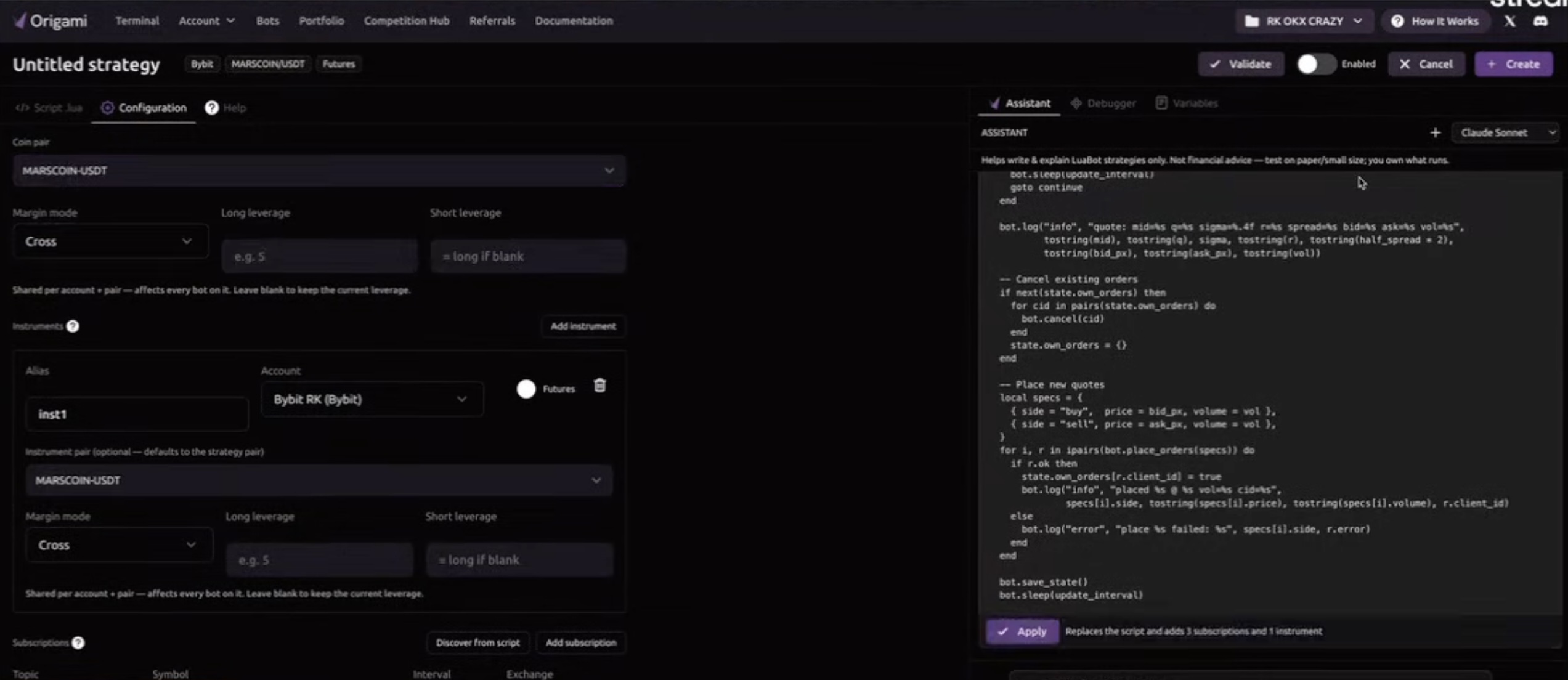
Market data subscriptions can also be configured for the strategy. These subscriptions determine which data the script receives and can include the relevant symbol, interval, and exchange.
This separation between strategy logic and market configuration makes the workflow easier to manage when the same general automation concept needs to operate in different environments.
Manage Multiple Strategies Inside a Lua Bot
A Lua Bot can contain more than one strategy. Each strategy can be managed separately while remaining associated with the same bot environment.
In the Bot view, Origami Tech shows the configured strategies together with controls for enabling them, editing them, resetting their state, or deleting them.
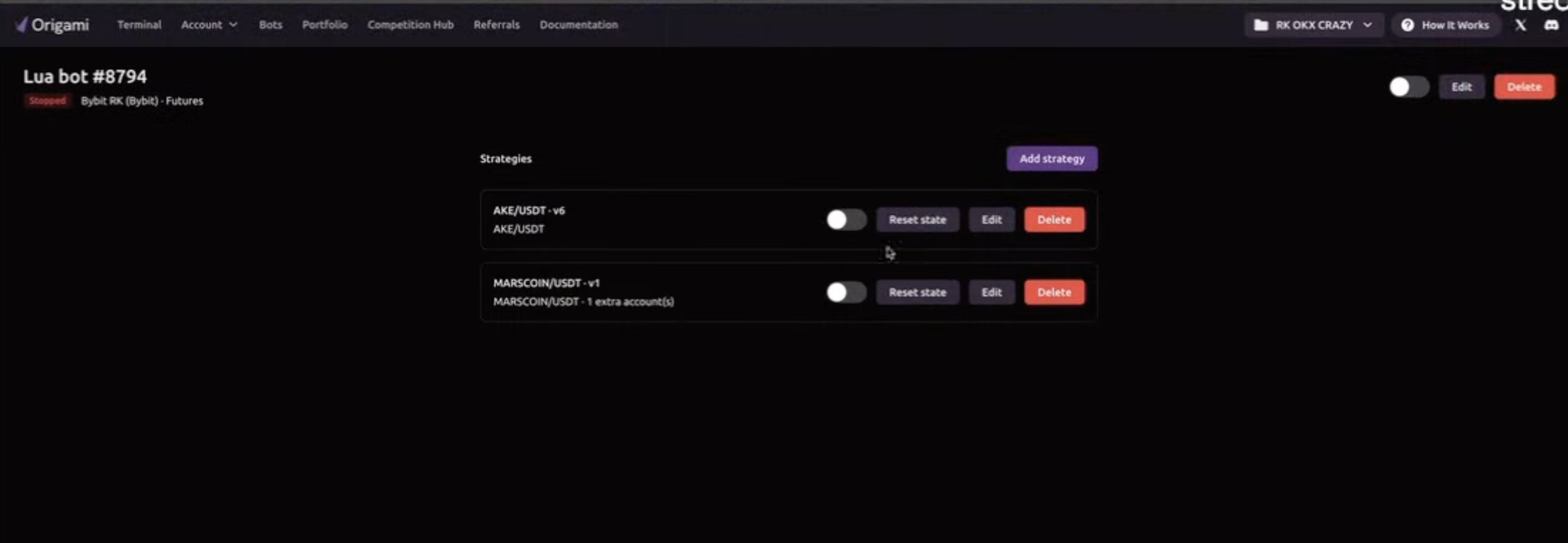
This structure becomes useful as a crypto trading bot grows beyond one piece of execution logic. Different strategies can be created for different markets or purposes while remaining organized within the same bot.
For more advanced crypto bot trading strategies, this means automation can be divided into manageable components rather than being treated as a single large process.
Combining Manual Crypto Trading and Automation
The broader Origami Tech workflow connects tools that are often used at different stages of crypto trading. A crypto trading bot can execute predefined logic, while Scanner helps the trader observe several markets at the same time. Position information on the chart provides context about current exposure, and Counter Orders allow specific adjustments to be made directly around an existing position.
Lua Bots extend this further by providing script based automation, while the AI Assistant adds another way to begin creating custom strategy logic. The trader can move from a natural language strategy description to generated Lua code, configure the relevant market, and keep the resulting strategy visible for review.
This combination is particularly relevant to traders who want a crypto auto trading bot workflow without separating automation from the rest of their crypto trading activity. Manual execution, monitoring, position management, and automated strategy development remain connected inside the same environment.
A More Flexible Crypto Trading Bot Platform
Crypto trading strategies can require very different forms of control. One position may need a partial exit. Another market may need to be monitored while a bot continues operating elsewhere. A standard automated setup may eventually require custom logic, additional market data, or a strategy that reacts differently to inventory and volatility.
Counter Orders, Scanner, chart based position information, Bot Management, and Lua Bots address these requirements at different levels of the workflow. Together, they expand the range of crypto bot trading strategies that can be managed inside Origami Tech.
For traders comparing a crypto trading bot app, crypto trading bot platform, or best automated crypto trading bot workflow, automation is only one part of the equation. The ability to understand positions, monitor several markets, intervene when necessary, and inspect custom strategy logic also determines how useful the overall setup becomes.
You may also like



Trade Smarter with Origami Tech
Take your crypto trading to the next level with our powerful automated trading terminal. Maximize profits, minimize risks, and stay ahead of the market 24/7.